


NaijaknowhowNaijaknowhowNaijaknowhow
  • Home
  • Guides
  • Apps & Software
  • Tech News
  • Phones
    • iPhone
    • Infinix
    • Nokia
    • OPPO
    • Samsung
    • TECNO
    • Xiaomi
    • More Phones
      • HONOR
      • Huawei
      • Gionee
      • Innjoo
      • itel
      • LEAGOO
      • Lenovo
      • LG
      • Motorola
      • Sony
      • Vivo
      • Other Smartphones
  • More
    • Internet & data
      • Telcos
      • Internet & Data
      • Call Tariffs
    • Operating System
      • Android
      • Apple iOS
      • iPadOS
      • macOS
      • Windows
    • Banking & Finance
    • Buying Guide
    • Computers
    • Gaming
    • Video Tutorial
    • Gadgets
    • Accessories
    • Online Business
    • Wearables
    • Featured
  • Advertise
  • Contact Us
  • My Bookmarks
Search
  • Customize Interests
  • About Us
  • Contact
  • Advertise
© NAIJAKNOWHOW MEDIA
Notification Show More
Font ResizerAa
NaijaknowhowNaijaknowhow
Font ResizerAa
Search
  • Home
  • Guides
  • Apps & Software
  • Tech News
  • Phones
    • iPhone
    • Infinix
    • Nokia
    • OPPO
    • Samsung
    • TECNO
    • Xiaomi
    • More Phones
  • More
    • Internet & data
    • Operating System
    • Banking & Finance
    • Buying Guide
    • Computers
    • Gaming
    • Video Tutorial
    • Gadgets
    • Accessories
    • Online Business
    • Wearables
    • Featured
  • Advertise
  • Contact Us
  • My Bookmarks
Follow US
  • About Us
  • Advertise
  • Banner Ads
  • Contact Us
  • Privacy Policy
  • Disclaimer
© NAIJAKNOWHOW MEDIA
Tech Tutor

How To Conserve Your Phone Battery Life To Make It Last

By
Viklin
Last updated: March 8, 2019
Share
11 Min Read
SHARE

Everybody wants to buy a phone with very large battery capacity, however, if you are not opportune to own a big battery device, how then can you conserve your phone battery life to make it last longer?

What an irony! Have you asked yourself, “Why in the world does my battery drain so fast?”. The answer is right on your phone but you can’t see it.

To avoid unexpected shutdown without prior notification is not so difficult as you think, there are certain tips and know-how guide that helped me prevent my phone battery from draining so quick, here they are.

11 WAYS TO CONSERVE YOUR PHONE BATTERY LIFE

1. Don’t be deceived, 100% charge can be dangerous

Some of us have got the wrong mindset about batteries, I don’t know if it’s because we’re Africans or because we are not just hungry for knowledge.

In this post, I’ve already lined out useful charging tips that will help keep your battery in good working condition, perhaps, many will just skip the link without checking out what I wrote about them therein.

Leaving your phone to charge up to 100% before removing can be stupid!

Why do I think so?

I believe the longer your phone stays plugged into a charger, the worse its battery life gets.

Gradually, you’d notice your battery lifespan has slowly deteriorated. In essence, If your battery usually lasts about 10hrs in November 2017, in May 2018, you will notice a drastic reduction in attainable time.

So my advice for you is not to charge full, as soon as you see 95-99%, detach right away. You can always replug your charger when battery level drops further.

2. Kill hardware radios

MTN 4G LTE network

Things like NFC, LTE, GPS, Wi-Fi and Bluetooth are what I call unnecessary hardware radios.

These are some of the features that make my phone very smart, why should I turn them off?

You just have to, those features are cool quite alright, but leaving them on is going to take a toll on your battery life.

They will drain your batteries twice faster, therefore, stay clear!

You can turn off all the aforementioned features directly from the notification menu.

3. Kill vibrations
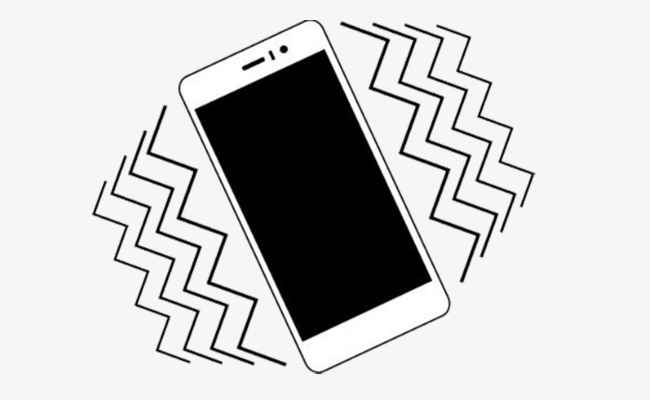
phone vibration

I wonder why a few people would leave their phones to vibrate. The real question is… why do you need it?

Did you know that every time your phone vibrates, it exhausts a small amount of battery charge?

Why use it then when you can just set your phone to use only the ringtone.

To configure this, navigate to settings » sound & notifications » click settings of the audio profile » switch off irrelevant vibrations.

123Next Page
How to Configure 9mobile APN Settings (Automatic & Manual)
12 Best Voice Recognition Software to Use in 2023
How to Enable Video Super Resolution on Microsoft Edge (2023)
How to Deactivate First Bank USSD Code (*894#)
Best Pastebin Alternatives to Share Code and Text (2023)
TAGGED:batteryBattery LifeManage battery
Share This Article
Facebook Whatsapp Whatsapp
Share
franklin victor
ByViklin
Follow:
Passionate about technology and gadgets, I'm also an experienced architect and content & SEO specialist. When I'm not diving into the latest innovations, you’ll find me cheering for Inter Milan.
Previous Article Huawei Honor 10 Huawei Honor 10 is an Excellent Mid-ranger with Flagship Quality
Next Article FIFA 19 FIFA 19 Will Now Include Full Champions League Competition
Leave a Comment Leave a Comment

Hey fam, don't go without a reply!Cancel reply

Ad imageAd image
- Advertisement -

Latest News

How to Turn Off or Shut Down Laptop with Keyboard (Video)
Tech Tutor Video Tutorial
October 17, 2026
Best Solitaire Games for Android
Top 7 Solitaire Games for Android to Play Offline and Online
Gaming
October 14, 2026
RAR - Apps to Open ZIP Files
Best Apps to Open ZIP Files on Android Devices in 2026
Apps & Software
October 7, 2026
bulk sms marketing
3 Reliable Bulk SMS Platforms in Nigeria for Businesses and Individuals
Internet & Data
October 6, 2026

Stay Connected

5.9KFollowersLike
2.2KFollowersFollow
1.6KFollowersPin
1.2KFollowersFollow
1.9KSubscribersSubscribe
500FollowersFollow
637MembersFollow
NaijaknowhowNaijaknowhow
Follow US
© NAIJAKNOWHOW MEDIA (BN 2738473) | 2015 - 2026 All Rights Reserved.
  • About Us
  • Advertise
  • Banner Ads
  • Contact Us
  • Privacy Policy
  • Disclaimer
X
GET EXCLUSIVE CONTENT
SUBSCRIBE TO OUR CHANNEL